Deploy ApexRouter across teams with governance, onboarding, and operational control.
Enterprise is for organizations that need security review, implementation planning, workflow governance, higher capacity, API access, procurement support, and a rollout path that fits real operating teams.
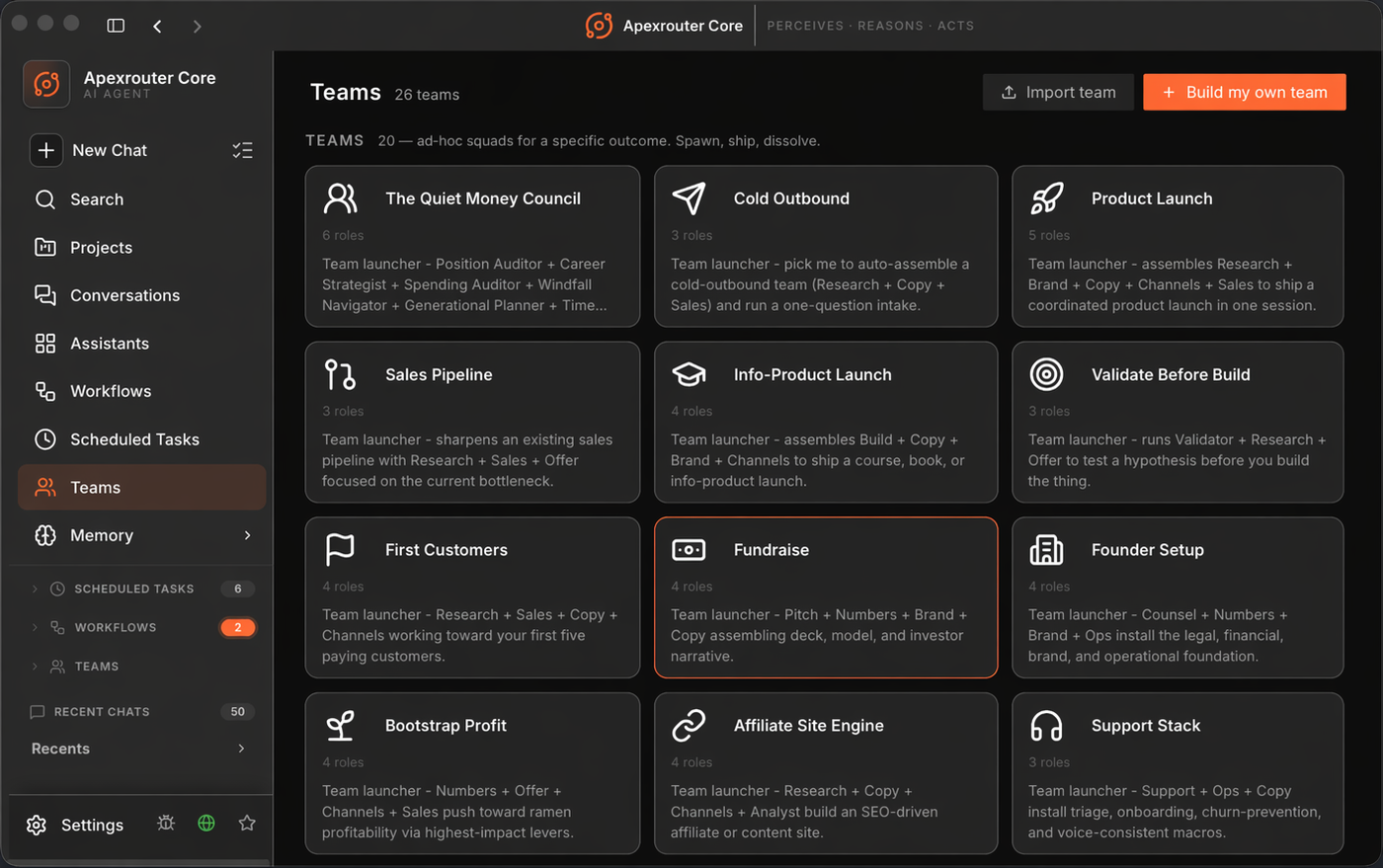
For teams moving AI from experiments into operations.
Enterprise support is designed for teams that need AI workflows to behave like business systems: accountable, reviewable, repeatable, permissioned, and measurable.
Department rollout
Map ApexRouter to teams, workspaces, workflow owners, approval patterns, support paths, and adoption milestones.
Governed workflows
Define which workflows can run, who can launch them, what data they can use, when review is required, and how outcomes are stored.
Production visibility
Give operators and managers a shared view of workflow status, usage, ownership, exceptions, and outcome history.
Agent operations need to last longer than a clean demo.
Teams need workflows that recover from tool failures, preserve state, avoid duplicate work, enforce budget boundaries, and surface review points before important actions. ApexRouter brings those endurance patterns into a SaaS operating layer for real team workflows.
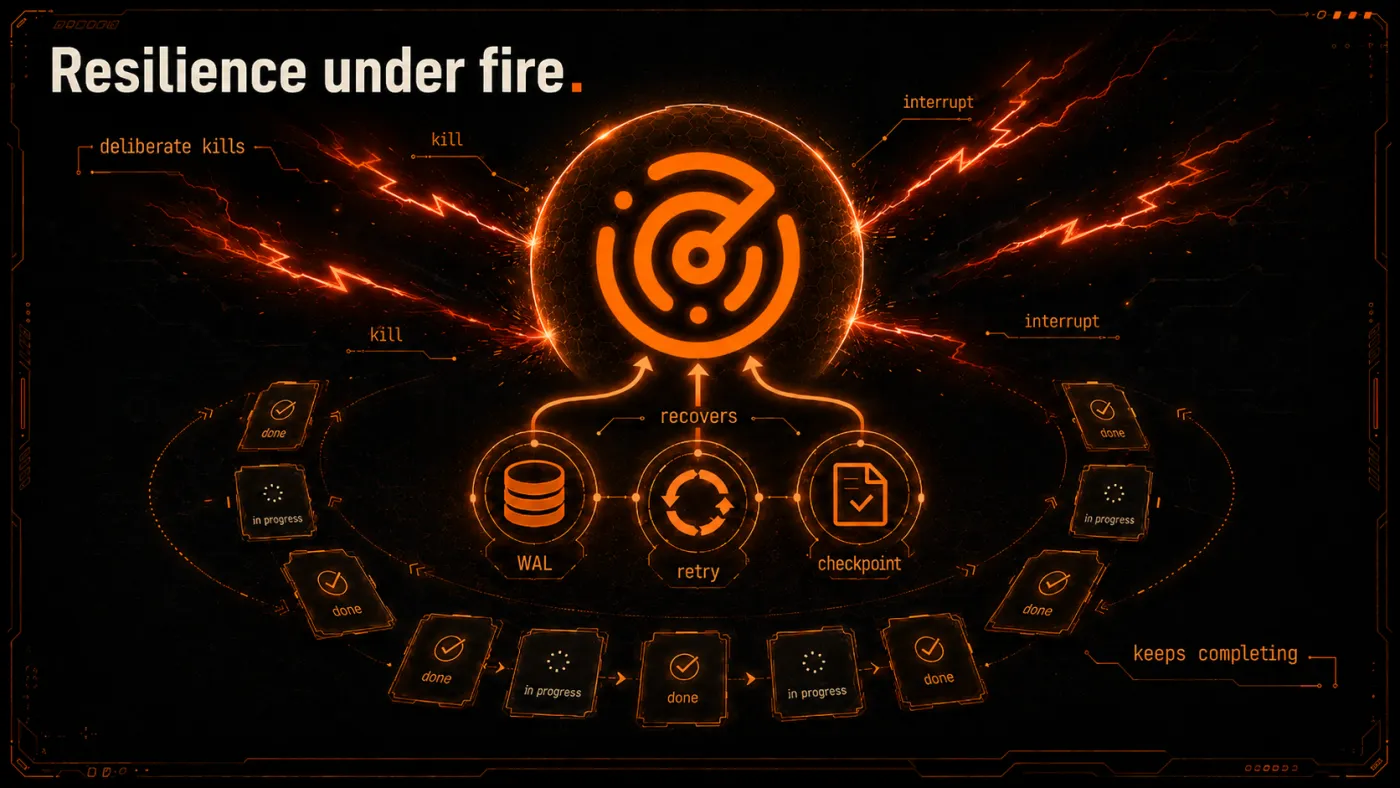
The goal is practical resilience: agents should survive normal operational friction without losing context, duplicating work, or hiding failures.
Built for reviewers who ask how agent work is controlled.
ApexRouter does not treat governance as a dashboard afterthought. The platform story is grounded in explicit execution boundaries, bring-your-own-key model routing, sandboxed workspaces, human approval points, audit logs, and clear ownership of every workflow run.
BYOK model routing
Customers connect their own model providers and keys so procurement, pricing, data handling, and provider choice stay under their control.
Sandbox-first execution
Agent work is designed to run in isolated execution environments with scoped tools, mounted context, runtime limits, and clean teardown after work completes.
Reviewable action path
High-impact actions can be paused for approval, denied, rerouted, or escalated while routine workflow steps continue under policy.
Trace-ready operations
Every workflow needs a readable chain of prompts, tool calls, file actions, approvals, errors, retries, and final outcomes for operators and auditors.
Tenant boundaries
Workspaces are the operating boundary for users, secrets, files, memory, workflows, integrations, and outcome history.
Responsible AI posture
The product narrative keeps human review, output validation, safety controls, and customer responsibility explicit instead of pretending agents are risk-free.
What enterprise teams usually need before launch.
Security review support
Support vendor review, questionnaires, policy discussions, access design, data-flow review, and implementation planning.
- Security questionnaire support
- Data-flow clarification
- Access boundary planning
- Production-readiness review
Identity and workspace planning
Plan organization structure, workspaces, user roles, approval responsibilities, and internal ownership before broad rollout.
- Workspace architecture
- Role mapping
- Approval design
- Team onboarding paths
Custom workflow capacity
Align workflow volume, API needs, connected tools, response expectations, and operational limits with the way your teams work.
- Workflow capacity planning
- API access planning
- Tool connection review
- Usage boundary design
Implementation onboarding
Work with the ApexRouter team to convert existing processes into projects, assistants, scheduled tasks, and reviewable workflows.
- Workflow discovery
- First-use-case buildout
- Operator training
- Launch checklist
Governance model
Create operating rules for what agents can do, what requires approval, which outputs need review, and where memory is stored.
- Policy setup
- Review points
- Memory boundaries
- Audit-friendly workflows
Priority response
Get faster help for rollout issues, workflow design questions, platform configuration, and production operations.
- Launch support
- Workflow advisory
- Issue prioritization
- Operational guidance
A realistic enterprise rollout has stages.
1. Discovery
Identify high-value workflows, teams, existing tools, data boundaries, and review requirements.
2. Pilot
Launch a focused workspace with selected users, connected tools, workflow templates, and clear success criteria.
3. Govern
Add roles, approval points, usage limits, memory policies, operating rules, and reporting expectations.
4. Scale
Expand to additional teams, add API-triggered workflows, deepen integrations, and standardize operating practices.
A practical path from secure pilots to enterprise-scale AI operations.
Now
Private access, workspace governance, BYOK routing, sandboxed execution, scheduled tasks, trace logs, and dashboard-driven workflow operations.
Next
Deeper API events, richer approval workflows, workflow templates, expanded integrations, and stronger admin controls for pilots.
Enterprise
SSO planning, procurement support, policy templates, implementation onboarding, security reviews, and department rollout playbooks.
Scale
Multi-team adoption, usage analytics, integration depth, workflow reliability targets, and operating playbooks for larger deployments.
Use ApexRouter where repeatability matters.
Customer operations
Support summaries, account research, ticket triage, churn signals, escalation briefs, and post-call follow-up workflows.
Revenue operations
Lead research, proposal preparation, pipeline reviews, campaign workflows, handoff briefs, and account planning.
Internal operations
Policy lookup, weekly reporting, procurement summaries, onboarding flows, knowledge refreshes, and leadership updates.